Signing and Payment Instructions
Signing for Return
Signer(s) will receive an email via Sharefile (noreply@sf-notifications.com) with a secure link for electronic signing.
You must use the secure link in your email to complete signing.
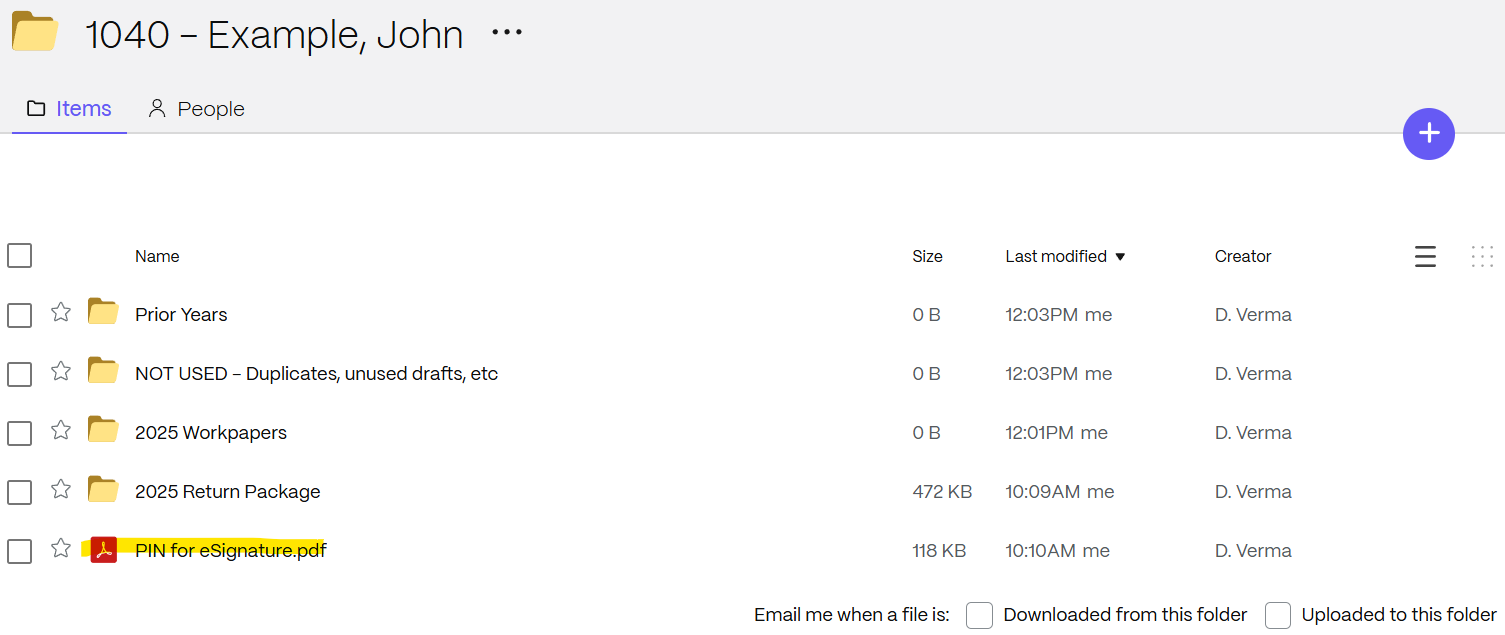
The PIN code to complete the signing will be saved in your top-level ShareFile folder as highlighted below in Screenshot 1.
Invoice Payment
You will receive our invoice from CPACharge (noreply@cpacharge.com). The email will include a link to pay online.
Return Payment
See tax return for any balance due and/or refund amounts.
For individual tax payment instructions, see LPCTax.com/payingtaxesonline.
Screenshot 1: